Your Personal Styling Board,
Ready to Explore
A curated styling tool, included with your session
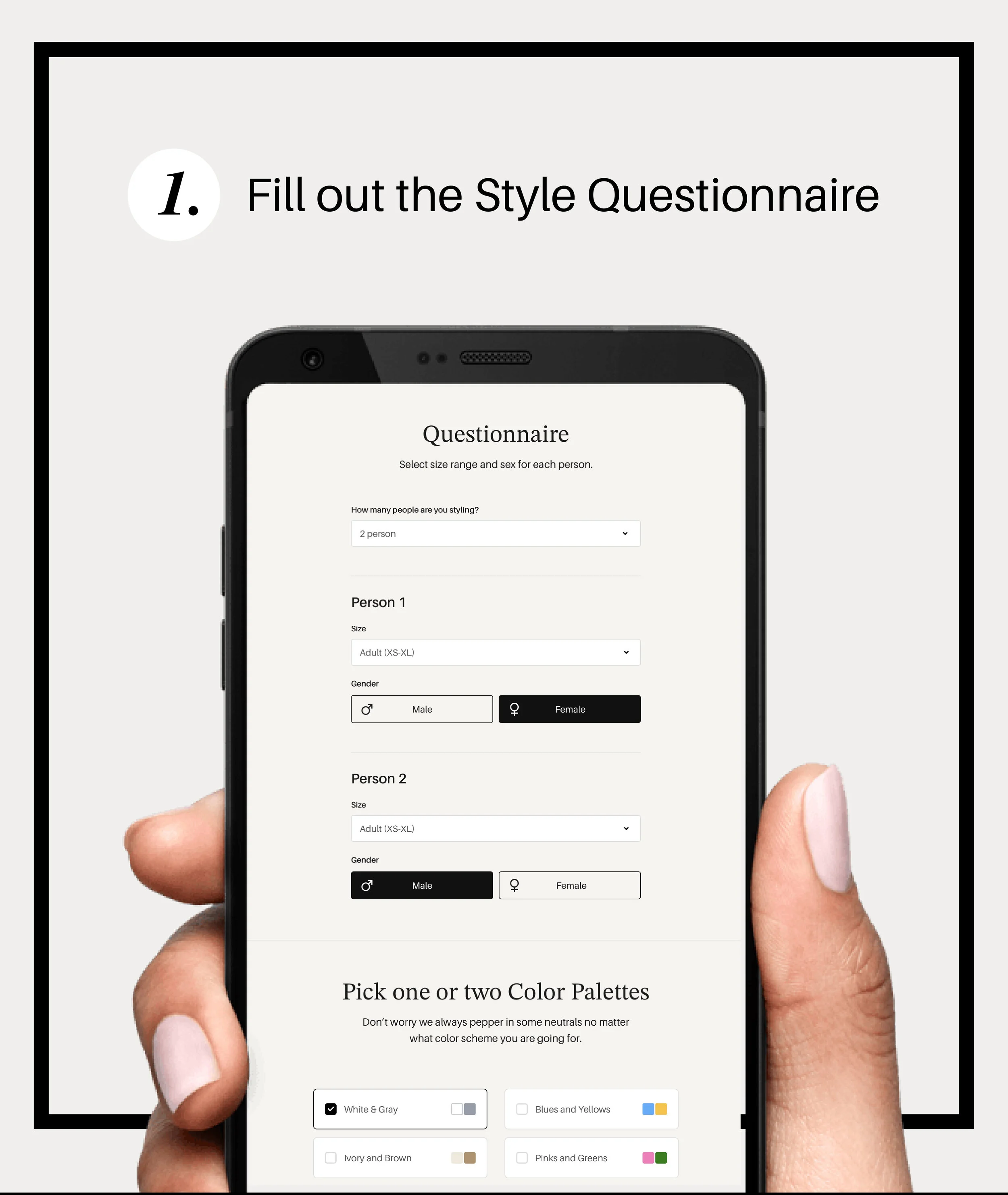
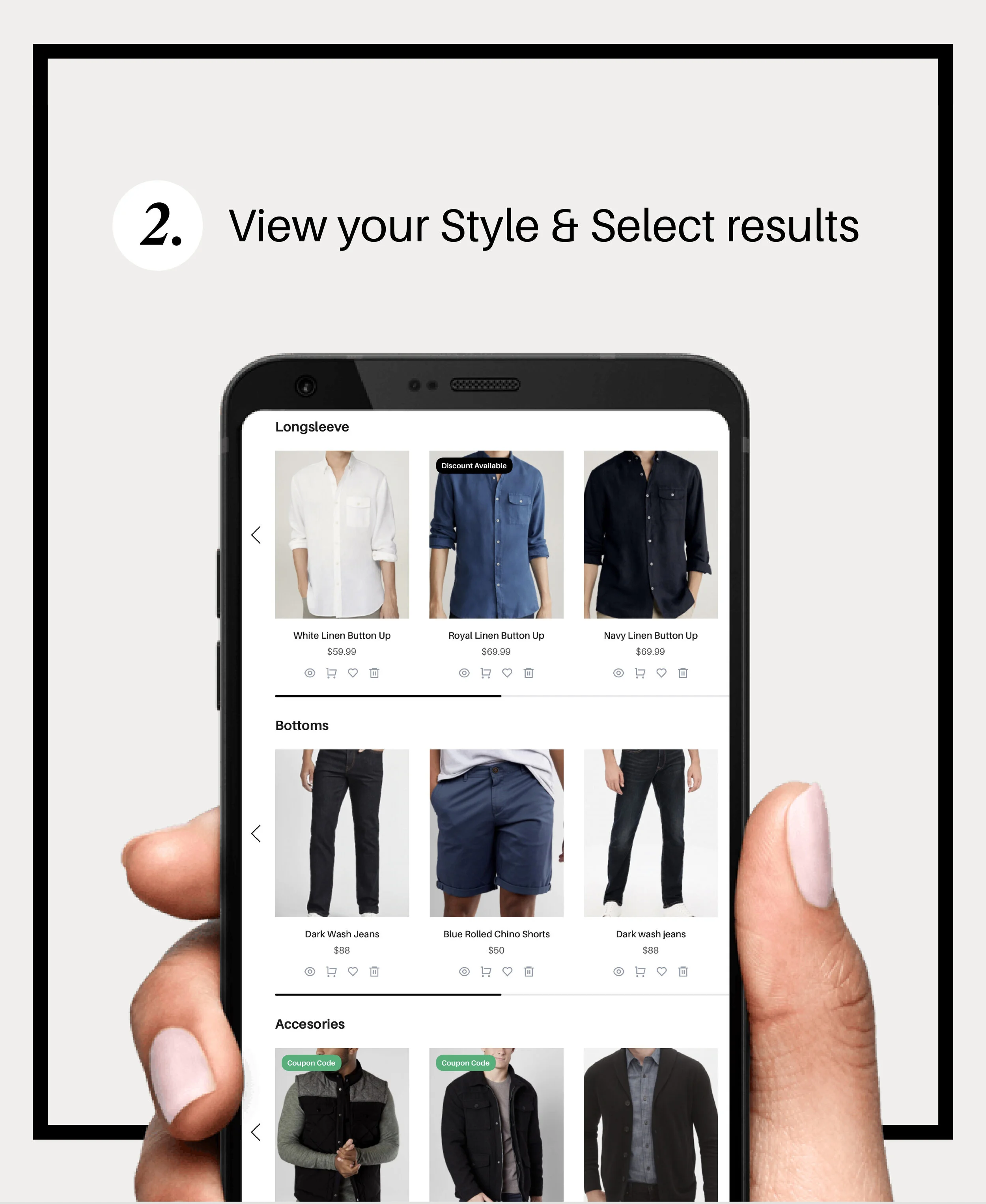
Most photographers hand you a list of dos and don'ts and wish you luck. This is different. Style & Select is a styling app I've set up just for your session, so choosing outfits is visual, simple, and honestly... kind of fun.
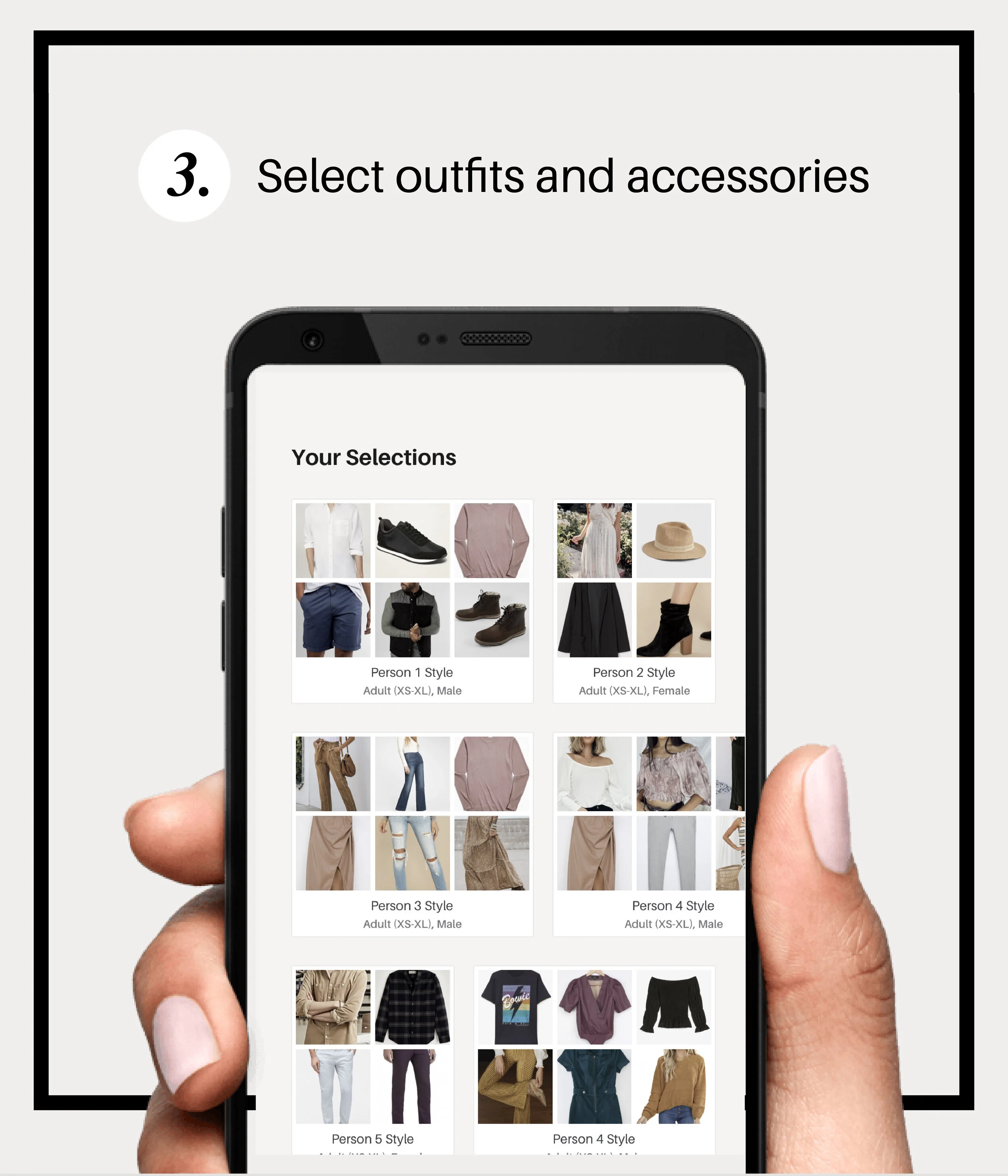
Style & Select is an online styling app that I use to build a personalized outfit board just for your session. Your board is already organized around your session style and color palette, with real outfit options for every family member that all work together visually. Some items even link directly to stores if you want to grab something new.
I pay for access to this app on your behalf... it's just part of booking with me. It's one of those things clients didn't know they needed until they have it, and then can't stop talking about.
Style & Select does link to stores where you can shop the outfits shown, but you absolutely don't need to buy anything new. I always tell clients to start in their own closets first.
Use the board as a visual guide for color combinations, silhouettes, and how to pull everyone together. Then look at what you already own that fits the same vibe. You'll be surprised how much is already there... it usually just needs to be put together the right way.
Your styling code was sent in your session welcome email. Here's how to get started:
Have your styling code ready from your welcome email, then click below to access your board inside Style & Select.
Enter Your Styling CodeHaven't received your code yet? Reach out and I'll resend it right away.
If you want a second opinion on specific outfits, aren't sure whether something works, or just want to talk through your options before your session, please reach out. I'm always happy to take a look.